Spherical Solutions

Email Archives
October 25, 1999
For Industrial Light & Magic, one of the most demanding tasks on Episode I was to seamlessly mesh computer-generated characters, objects and landscapes together with live-action footage. When a CG character interacts with a flesh-and-blood actor, the illusion of actual contact needs to be perfect. And in this respect, proper light sources greatly help "sell" the effect. So the visual effects teams devised clever and inventive tools that would allow them to duplicate, within their computers, the lighting conditions that existed on the set during filming. One of these tools was surprisingly simple, yet more efficient than any high-tech gear could have been. A simple sphere.
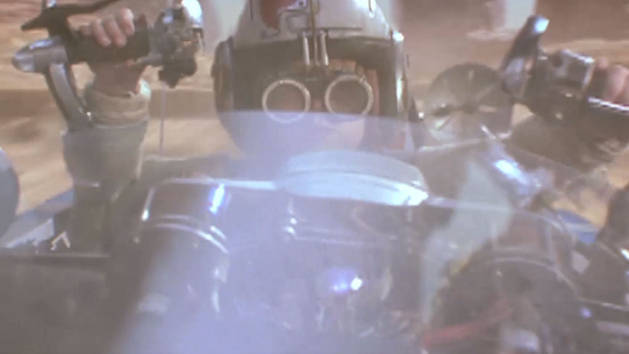
"When you're putting a CG character into a shot and you want it to look like it's really there," says Visual Effects Supervisor John Knoll, "it's extremely important to get the lighting right. And the best way to do that is to try to capture what kind of lighting was present on the set at the point where the CG character is supposed to be standing. So we had a sphere. One side of it was gray, and the other side was chrome. And each time the lights and cameras were set up for a new shot, we would film the sphere - first with its gray side facing the camera, and then the chrome side."

"The gray side of the sphere is the same 17 percent gray as our standard gray card," continues Knoll. This gray card is used to gauge the overall lighting at a precise point on the set, and is always the same shade of gray for continuity in the comparisons. "With the gray side, you can see what the key light and fill light ratio were, and what color the different lights were," Knoll continues.

On a set, the "key light" is the principal source of light, while the "fill light" refers to the source that creates the ambiance lighting - the type of even lighting one gets in a room where the sun bounces off the walls and covers pretty much the whole area. For this reason, the fill is usually created with indirect illumination, such as a spotlight reflected on a white piece of cardboard.

"Within a computer," explains Knoll, "a great way to get the lighting very close to what it was on the set is to put a computer-generated gray sphere next to the one that was shot with the live-action elements. You can then move your CG lights around until you have a pretty good match and the two spheres look the same." This technique enabled the digital artists to get information on the color and intensity of the light sources. To obtain details as to the exact position of these lights, the crew rotated their shiny Death Star.

"The chrome side was very useful, in that it would act like a curved mirror and let us see all the lights in the room," says Knoll. "You could look at the sphere and see that the key light was here and that the fill was coming from a four-by-eight piece of foamcore down there." This allowed the virtual light sources to be positioned with more accuracy within the digital set.

Despite its obvious usefulness, however, the sphere only provided the visual effects teams with approximations of the way light sources played on the different surfaces present on the set. The digital artists still had quite some work ahead of them to get to the final result. The sphere is a short-cut, but not a miracle. "We've been getting a lot of mileage out of that trick," says Knoll. "With the sphere you can be reasonably sure that when you put your CG character in there, your lighting is already pretty close to the real thing. But you're not done... So you start with the sphere, and begin tweaking from there."


Keywords: ILM, Behind-the-Scenes

Filed under: The Movies, Episode I
Email Archives
 (
0 ratings
)

Comments: 0 total     See All

Episode I Academy Award Nominations
Star Wars: Episode I The Phantom Menace was honored today with three Oscar nominations by the Academy of Motion Picture Arts and Sciences.
Q&A: What kind of new technologies were developed to realize Episode I?
Many visual effects techniques for The Phantom Menace had never been attempted before. How much new technology and software needed to be developed to carry out what was required. Who does that kind of work and how long does it take?
Snapshot: A Sea of Bluescreen
Qui-Gon Jinn (Liam Neeson) sits amid a sea of bluescreen. Industrial Light & Magic magicians will later digitally add a lumbering eopie and background to complete the scene.
Q&A: What was one of the more difficult Episode I effects shots?
What was one of the more difficult special effects shots inThe Phantom Menace?
The Very Model of a Model Shop
While Episode I has received just plaudits for its incredible computer-generated effects, all of that work didn't come at the expense of traditional model-building.
Snapshot: Sebulba is Watching
Doug Chiang (Design Director) and Jean Bolte (Lead Viewpainter) review design images at the Industrial Light & Magic Art Department in Marin County, California.
Snapshot: Miniature Theed Main Plaza
Marty Rosenberg (Effects Director of Photography) Scott Squires (Effects Supervisor) loom above the miniature Theed Main Plaza set.
Q&A: What parts of Otoh Gunga were live action vs. miniatures vs. CG?
The underwater scenes of Otoh Gunga had a beauty all their own. Were these particularly difficult to create, and what parts were live action vs. miniatures vs. CG?
Snapshot: Ice Cave
A 2-D rendering of the Lagulla ice cave, deep in Naboo's watery planet core.
Digital Media World
Digital Media World, a three-day celebration of achievements in animation and special effects in London, U.K, is dedicating November 18th to the creation of Star Wars.
Newsletter sign up!
Enter your email here and receive exclusive Star Wars updates